







New
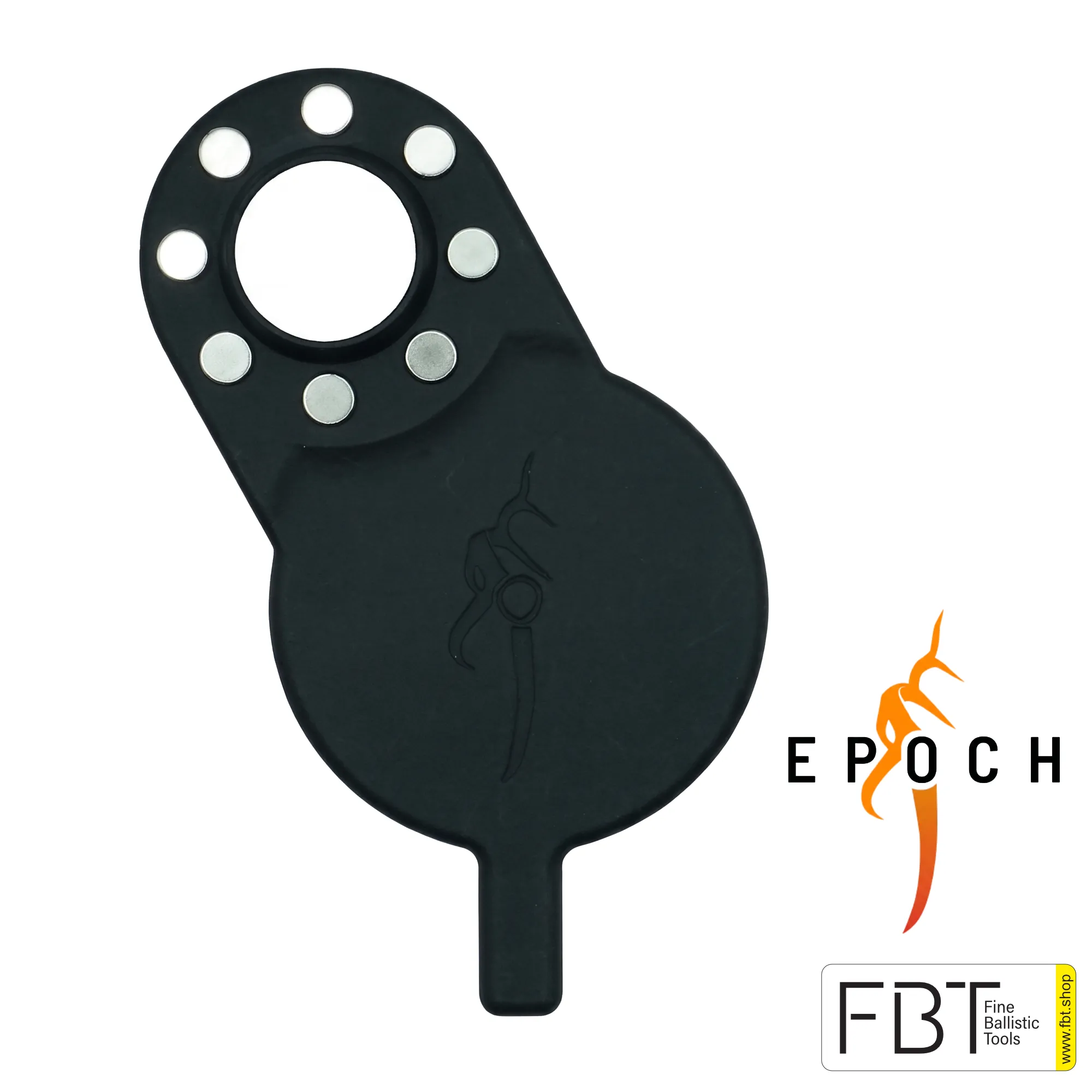
iPhone Mountain Mag Digiscope Adapter | Epoch Outdoors
€ 85,00
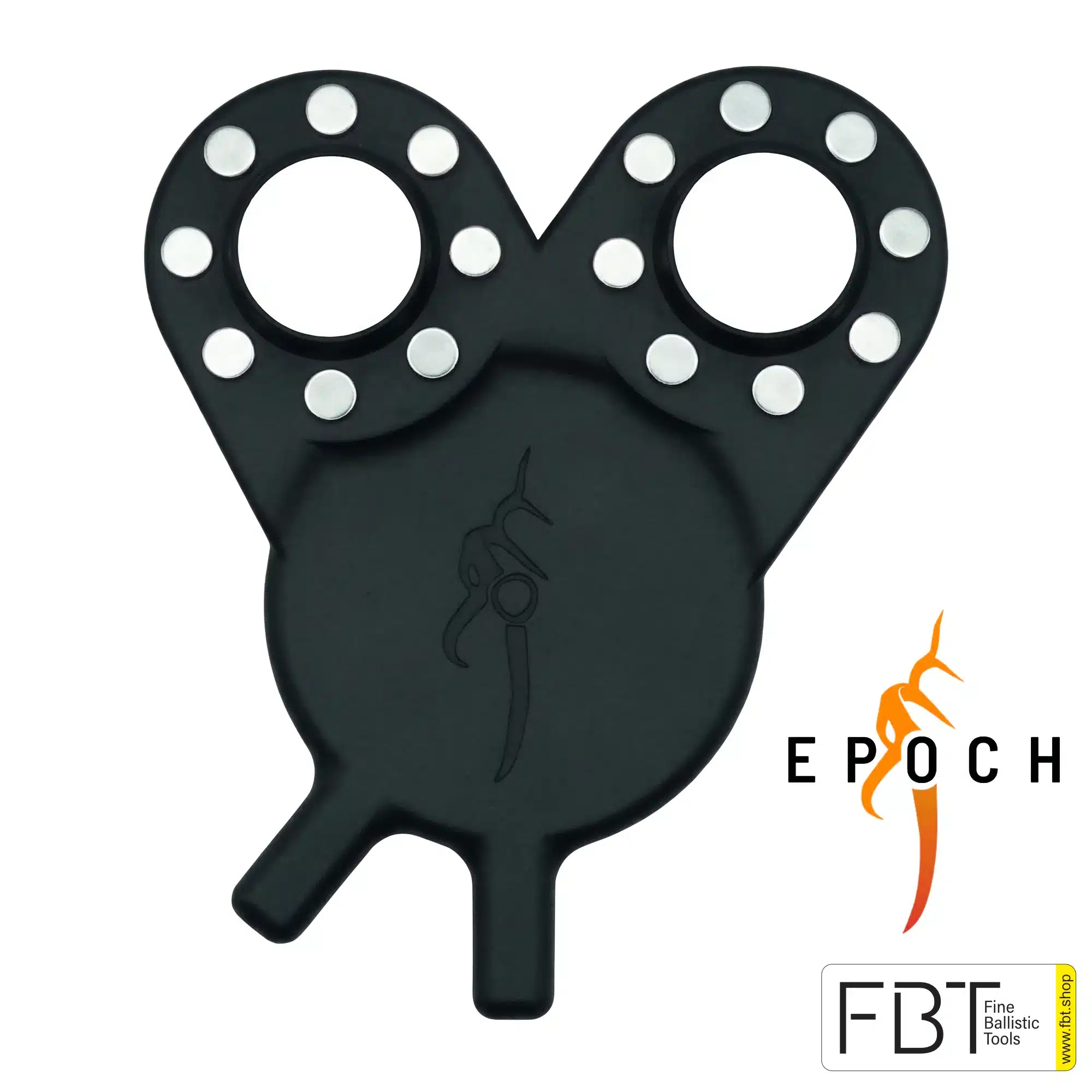
The Mountain Mag Digiscope Adapter uses the integrated MagSafe magnets to hold your iPhone Connect your optics quickly and absolutely safely.
So you can turn your smartphone into a portable speaker in no time with the iPhone app Powerful camera for razor-sharp shots through your binoculars or telescope.
Required iPhone app in the App Store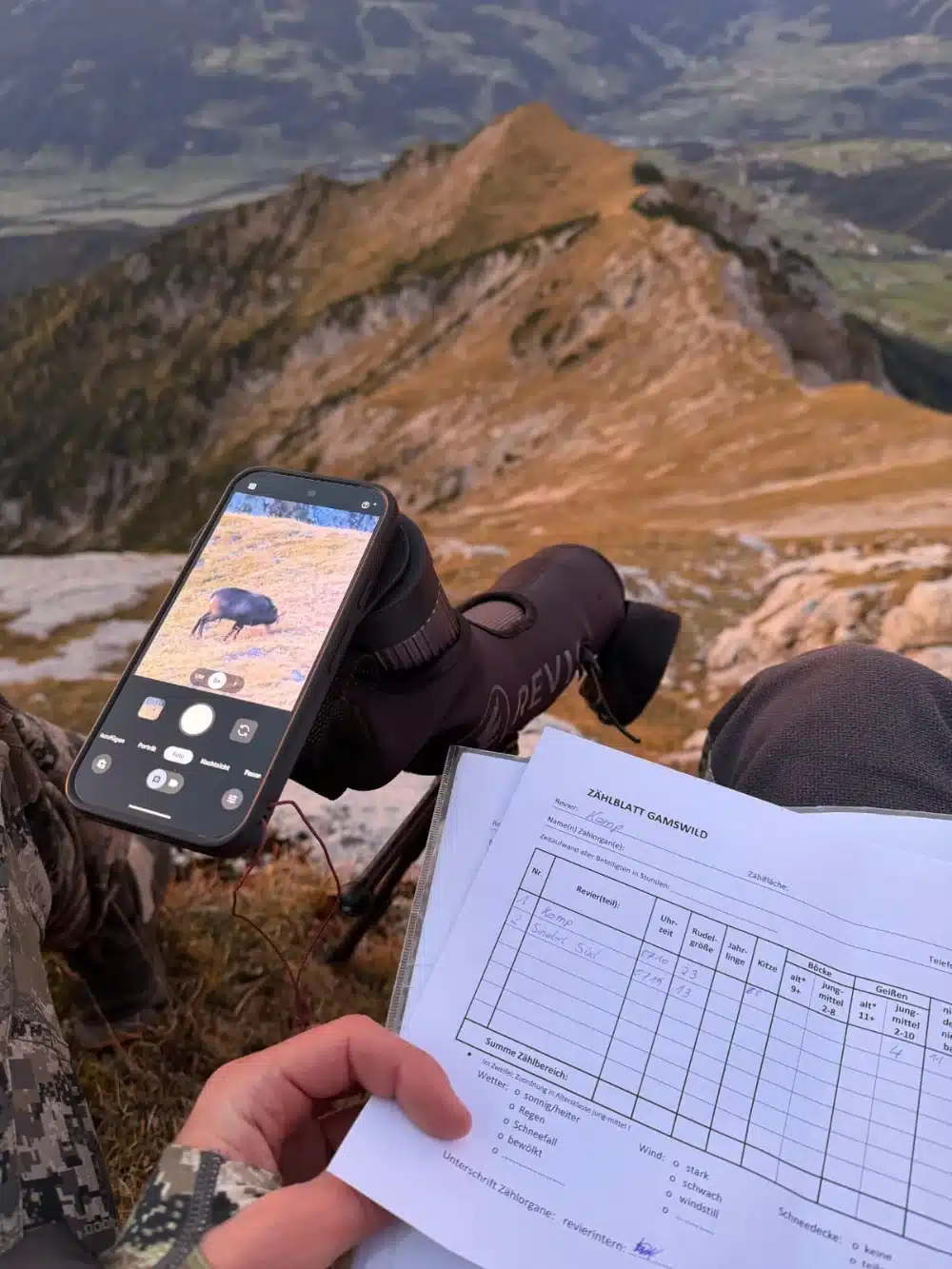
iPhone Mountain Mag Digiscope Adapter: Capturing nature observations
A bird in the undergrowth, wildlife on the edge of the forest, or a detail on the opposite slope: With the appropriate digiscoping system, you can take photos with your binoculars or telescope. The Epoch Outdoors smartphone adapter connects your phone to the separately available Mountain Mag eyepiece adapter.
The Mountain Mag is a robust MagSafe Digiscoping Adapter, who took the Magnetic technology for smartphones It makes it possible to connect these quickly with a hunting optic. The adapter adheres magnetically to your device, aligns with the optics and locks securely in place, creating a rock-solid system for shooting through binoculars or telescopes.
A major advantage for hunting is that you don't need a bulky phone case, because the system is attached directly to the smartphone thanks to MagSafe.
Advantages of the Mountain Mag System for hunting
- Quick deployment: With this system, you can immediately connect your phone to your Mount a telescope or binoculars, Without you having to change your usual observing method. The combination of magnetic and mechanical fastening ensures extremely fast connection and precise alignment.
- Comfort during the pouring process: The flat eyepiece is precisely tailored to the specific shape and curvature of your optics. It remains compact on the optical device, so you are always ready to capture the moment and does not interfere with normal observation.
- Optimal image quality: Since it is a completely enclosed system, annoying stray light and reflections on the lens are effectively prevented. The camera’s automatic, precise centering over the eyepiece ensures breathtaking, cinematic-quality results every time.
- Flexible lens usage: The Mountain Mag Adapter is specifically designed to allow you to switch between the standard wide-angle lens and the telephoto lens of your smartphone at will. This allows you to get even closer to the wildlife and take sharper shots.
The Mountain Mag App for Digiscoping
To round out the shooting system, Epoch Outdoors offers the Mountain Mag app, which was designed from the ground up specifically for digiscoping.
These Software provides ideal features for hunters, These include image stabilization for blur-free shots and full zoom without the screen darkening when changing lenses.
In addition, the app allows for Frame-by-frame review, To extract the decisive moment from a video as a static image.
The saved “Vignette Crop” feature is also particularly practical: you only need to set the cropping one time to eliminate the annoying black edge of the lens, and the app remembers this setting for every subsequent use.
With the Mountain Mag Digiscope Adapter, you can turn your equipment into an easy and professional recording system to effortlessly capture important moments during hunting.
Magnetic connection
The adapter is attached to the smartphone via MagSafe or a suitable case. After installation, remove it again and use your phone as usual.
Targetly select the camera
Depending on the phone model, the adapter can be rotated between the main camera and the telephoto camera. Without a separate telephoto camera, the corresponding model only has one camera opening.
Without a special system case
A proprietary phone case is not required. What matters are the appropriate magnetic positioning and camera orientation; an arbitrary magnetic case is not automatically sufficient for this purpose.
Which smartphone model is suitable?
Select the full model name at the top of the selection field. There are different versions of the Pro, Pro Max, and Ultra models.
| Apple iPhone | 14 Pro / Pro Max, 15 Pro / Pro Max, 16 Pro / Pro Max, 17 Pro / Pro Max |
|---|---|
| Samsung Galaxy | S24 / S24 Ultra, S25 / S25 Ultra, S26 / S26 Ultra |
| Google Pixel | 9 Pro, 10 Pro, 10 Pro XL |
The selection includes the 17 models manufactured by FBT.
Attention: A phone with a similar name is not automatically compatible.
Three steps to recording
1. Prepare the optics
Align the Mountain Mag eyepiece adapter with the optics according to the manufacturer's instructions.
2. Connect the phone
Attach the smartphone adapter magnetically to the desired camera and align it. The phone case and the magnetic position must match.
3. Insert and secure
Combine both components and check the correct magnetic and mechanical fit. Select the camera, focus and record.
System and scope of delivery
| Product | Smartphone-based digital zoom adapter |
|---|---|
| Mounting on the phone | MagSafe-compatible magnetic connection |
| Additionally required | Mountain Mag eyepiece adapter suitable for the optics, available separately |
| Scope of delivery | A smartphone adapter in the selected version |
| Not included | Smartphone, optics and eyepiece adapter |
Further components can be found under Epoch Outdoors at FBT.
Frequently asked questions
Which mobile phone case is suitable?
Epoch recommends a properly designed MagSafe case with a magnetic ring and an additional alignment magnet. Especially with Samsung and Google Pixel, check the exact position of the camera. Choosing the model alone does not replace this testing.
Do I need a special camera app?
The normal camera app can be used. The optional Mountain Mag app supports, among other things, the fixed camera selection. Additional features such as stabilization can be paid for and are not included in the adapter package.
Are black image borders excluded?
No. Image cropping and border shading depend on optics, camera, and distance. Please check the orientation and eye distance of the optics; if necessary, the image cropping must be adjusted.
Is this a complete digiscoping set?
No. To connect to the binoculars or telescope, you need the appropriate Mountain Mag eyepiece adapter as well.
The perfect model for your next trip
Compare the phone model and case, choose your version, and add the eyepiece adapter to match the optics.
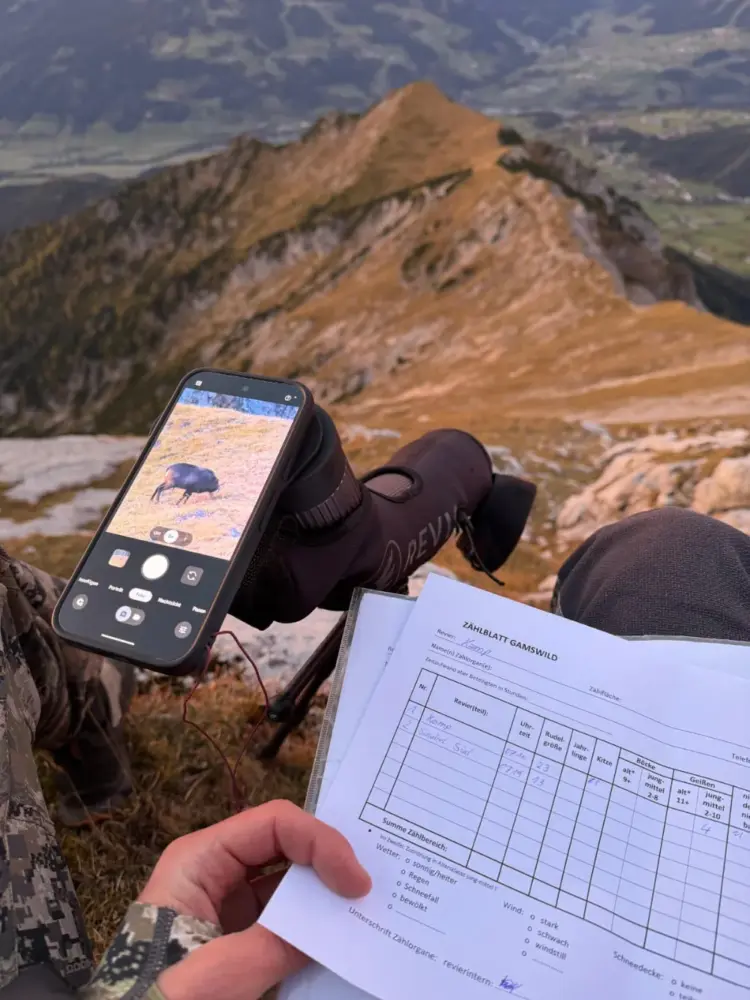
How does Digiscoping work with an iPhone?
So you have just bought your new Mountain Mag Digiscope and want to see what it is capable of. You rotate the Mountain Mag Digiscope so that it is aligned with the telephoto lens of your phone, attach it to the Mountain Mag part on your optics and open the camera app. But wait – your screen is black and the image is blurry!
Unfortunately, the standard camera app on the iPhone tries to „intelligently“ switch between the camera lenses, which makes digiscoping a bit difficult. Here are two solutions to fix this problem and get your digiscoping setup running smoothly:
1. Fix the focus in the standard camera app
- Remove the adapter: Make sure that the adapter is not attached to your phone.
- Choosing the lens: Open your standard camera app and select the lens you want to use with your digital camera.
- Lock focus: Then hold down the center of your screen until you AE/AF SPHERES see.
- Installing the adapter: You can now attach the adapter to your phone, align it with the correct lens and start using digiscoping.
2. Download our Mountain Mag camera app
We have developed a camera app from scratch specifically for digiscoping. It features lens locking so you can select the desired lens and zoom in or out completely without the app trying to switch the lens automatically. It also offers several other very useful features:
- It stores your video settings for the next session.
- You can record videos and photos that are stored directly in your regular Apple photo gallery.
- There are also playback tools
| Weight | 0,050 kg |
|---|---|
| For iPhone model | iPhone 14 Pro, iPhone 14 Pro Max, iPhone 15 Pro, iPhone 15 Pro Max, iPhone 16 Pro, iPhone 16 Pro Max, iPhone 17 Pro, iPhone 17 Pro Max |
| Brand | |
| Country of origin | United States (USA) |
Q & A
Ask a question
There are no questions yet
Only logged in customers who have purchased this product may leave a review.
Frequently bought together
Epoch Outdoors
€ 85,00
€ 85,00
Reviews
There are no reviews yet